
07 Aug
20 Comment(s)
34485 View(s)
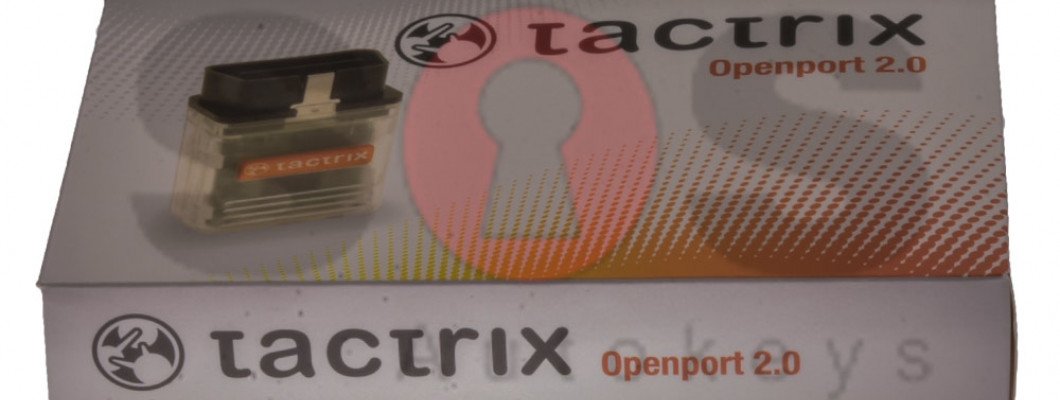
How to install the software needed for the OBD cable J2534 for TOYOTA Diagnostics with Tango?
- Go to https://auto-keys.eu/.
- Click on the "Download" section.
- From section "Tango" choose "Tactrix installation file" to download the software.
- Save the file on your computer and start the file when the download is complete.
- Follow the installation instructions and finish the installation.
- Open Your Computer >> Manage(right click on "Your Computer" and choose "Manage").
- Go to the device menager
- Go to Vihicle PassThru Interfaces and double click on the "Tactrix Openport 2.0"
- If the installation was successful on the "Device status" section, there should be written "This device is working properly".
2357 Comment(s)
I enjoy what you guys are up too. Such clever work and exposure! Keep up the awesome works guys I've incorporated you guys to my own blogroll.
I’ll right away grab your rss as I can not find your e-mail subscription hyperlink or newsletter service. Do you’ve any? Kindly let me recognize in order that I may subscribe. Thanks.
I believe this web site contains some really excellent information for everyone :D.
You made some good points there. I checked on the internet to learn more about the issue and found most people will go along with your views on this website.
I will immediately seize your rss feed as I can not find your email subscription link or newsletter service. Do you have any? Please permit me realize so that I may subscribe. Thanks.
I need to to thank you for this great read!! I absolutely loved every bit of it. I have you book-marked to look at new stuff you
Hi there! Someone in my Myspace group shared this site with us so I came to give it a look. I'm definitely enjoying the information. I'm bookmarking and will be tweeting this to my followers! Excellent blog and great design.
Protect your cryptocurrency the right way with Ledger.com/start, the official onboarding site for Ledger wallets. This trusted page provides a secure, step-by-step guide for setting up your Ledger Nano X or Nano S Plus. From downloading Ledger Live to verifying your recovery phrase, every instruction ensures maximum security against digital threats.
You made such an interesting piece to read, giving every subject enlightenment for us to gain knowledge. Thanks for sharing the such information with us to read this .
Ahaa, its pleasant discussion regarding this piece of writing here at this webpage, I have read all that, so now me also commenting at this place.
What's up, I log on to your blogs daily. Your writing style is witty, keep it up!
I’ll right away clutch your rss feed as I can not to find your e-mail subscription hyperlink or newsletter service. Do you’ve any? Kindly let me understand so that I may just subscribe. Thanks.
Ahaa, its pleasant discussion concerning this paragraph here at this blog, I have read all that, so now me also commenting at this place.
Greetings! Very helpful advice in this particular post! It's the little changes that will make the greatest changes. Thanks a lot for sharing!
Whoah this blog is excellent i like studying your articles. Stay up the good work! You realize, many individuals are searching around for this information, you can aid them greatly.
I will immediately seize your rss feed as I can not in finding your e-mail subscription hyperlink or newsletter service. Do you have any? Please let me realize in order that I may just subscribe. Thanks.
I enjoy what you guys are usually up too. This kind of clever work and coverage! Keep up the good works guys I've included you guys to my blogroll.
I love what you guys are usually up too. This kind of clever work and reporting! Keep up the excellent works guys I've included you guys to my own blogroll.
Excellent post, I think various other website owners should learn a lot from this web site its really user-friendly and contains great articles.
I am sure this article has touched all the internet viewers, its really really pleasant paragraph on building up new blog.
Leave a Comment